Add a candidate
Written By Talenkai
Last updated 23 days ago
You can create candidates from several entry points. Pick the one that matches how the CV arrived.
From the Inbox
Open a classified CV email.
Confirm the suggested person / attachment.
Fix main skill, languages, rate, agency, and availability.
Save — the CV file should remain on the profile for later briefing and anonymized CV features.

Manual create
Go to Candidates.
Create a new candidate.
Upload the PDF CV.
Fill identity, contact, main skill, languages, rate, and agency if relevant.
Set availability status (available / in process / etc.) so matching can pick them up.
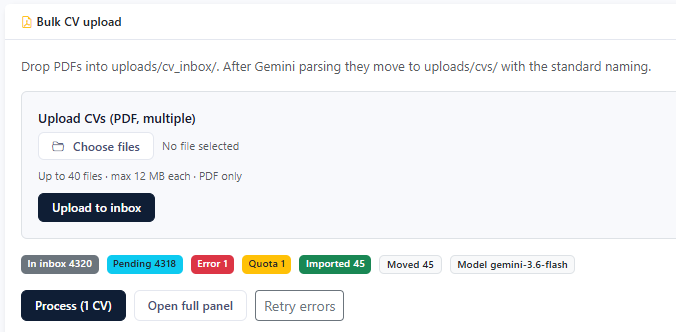
Bulk CV upload
Under settings / bulk tools (when enabled for your company), drop multiple PDFs for processing, then review each profile — bulk import is not a substitute for fixing main skill and languages.
Fields that matter for matching
Main skill (canonical / catalog).
Languages.
Rate and modality.
Years / experience on the profile.
Agency vs direct contact data for outbound email.
After create
Open the profile once, skim the parsed data, then run or refresh matching on relevant jobs. Incomplete profiles create “mystery scores” later.
Related: Skills catalog, Anonymized commercial CV.
Still need help? Ask the team