Understanding match scores
Written By Talenkai
Last updated 23 days ago
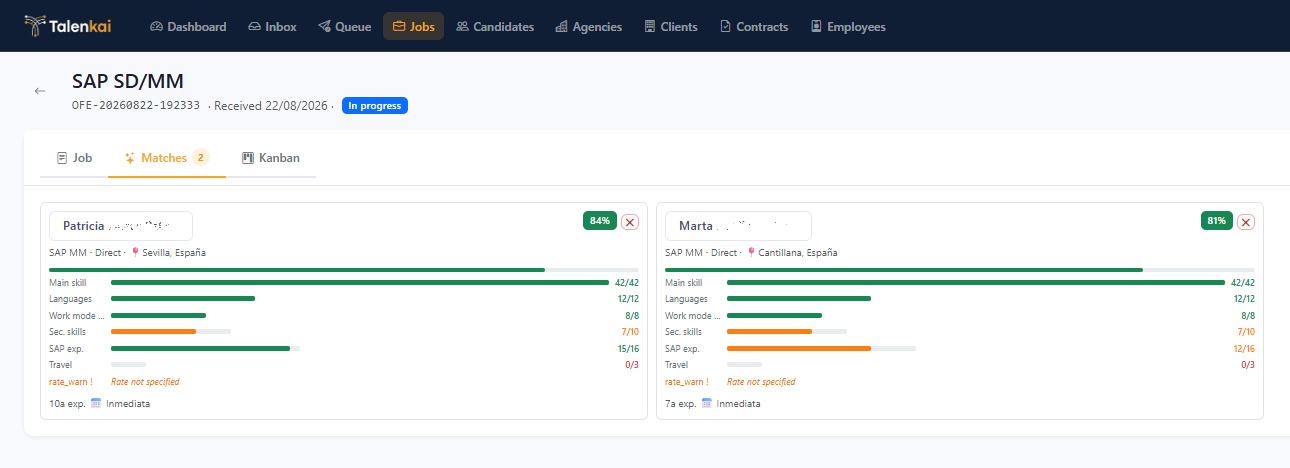
When you run matching on a job, Talenkai scores compatible candidates on a 0–100 scale. The total is explained with bars per criterion (main skill, languages, other skills, modality, experience, travel, rate vs client ceiling, depending on configuration).
How to read a score
Open the job → matching / candidates list.
Sort or scan by score, then open the detail — do not decide from the number alone.
Check whether a gate failed (e.g. main skill mismatch, language, modality, experience below minimum). A gate can zero the useful score even if other fields look fine.
Use the bars to brief a client: “Strong on skill and rate; language gap” is better than “72%”.
Main skill gate (important)
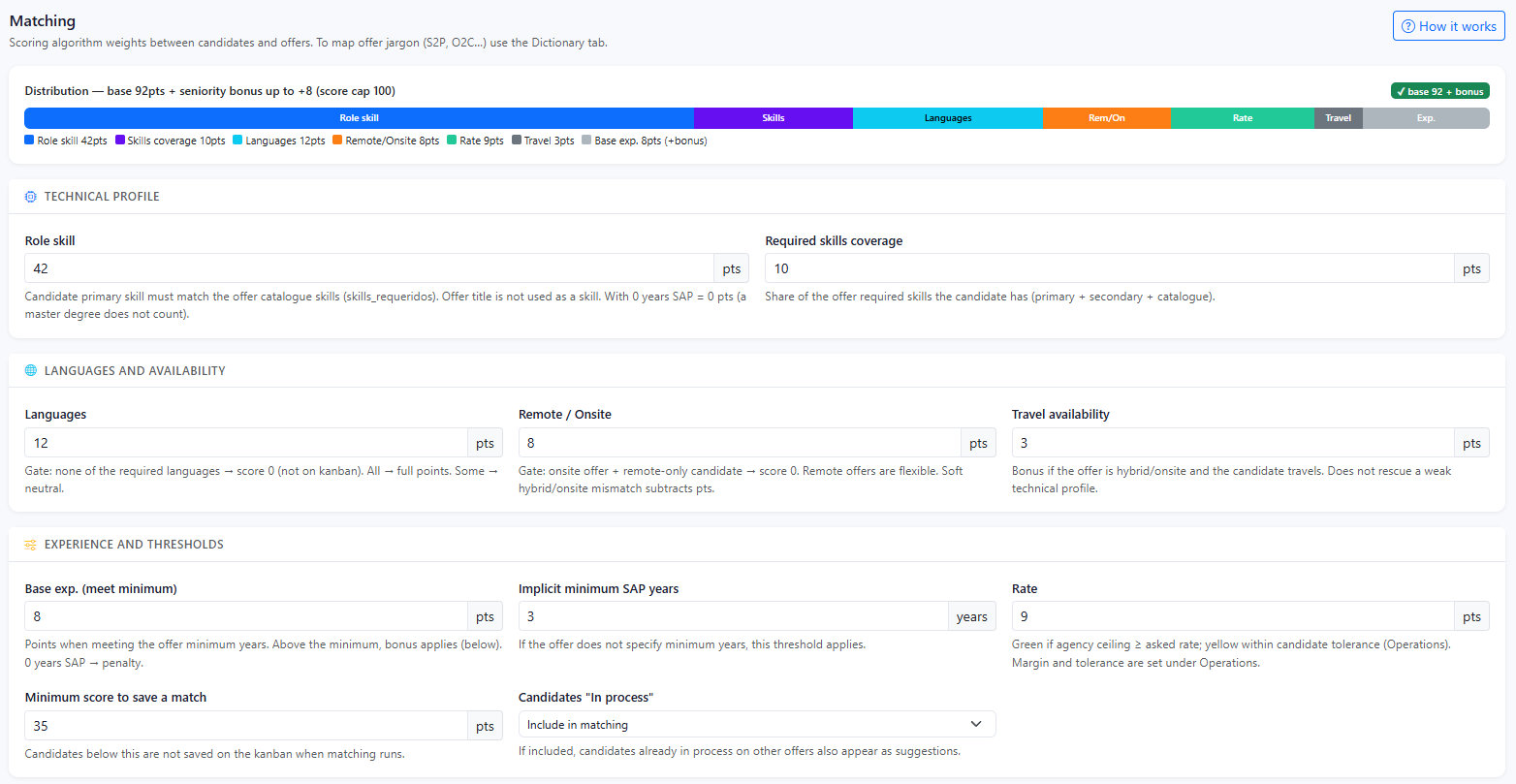
The main-skill component is typically all or nothing (default weight is high). The candidate’s principal skill(s) must align with what the job asks for (catalog / canonical names help). If that gate fails, treat the profile as “wrong lane” unless you intentionally add them by hand and accept the gap.
Experience
Years in role are taken from the candidate profile (specific experience field). Matching can also use project history when needed. If the job has a minimum years requirement, under-experienced profiles are gated.
Weights
Admins can tune matching weights under Settings (matching configuration). A SAP boutique will not weight the same as a cloud-focused desk. After changing weights, recalculate matches on open jobs so scores refresh.
Who appears in auto-matching
Automatic matching focuses on candidates in workable availability states (e.g. available / in process). Unavailable or placed profiles are not typical auto-suggestions; you can still add someone manually and see a calculated score.
Good practice
Use scores to prioritize and explain, not to replace judgment. A slightly lower score can be the right placement if you know the gap and the client accepts it.
Related: Match scores look wrong, Skills catalog and business dictionary.
Still need help? Ask the team